
Yowie Patrol Speed Check

Yowie Speed Check: Quick Guide for American Legion Post 1819 Partners
What it is:
- A progressive web app (no app store download required) that runs cell connectivity checks and maps connectivity gaps.
- Works on iPhone and Android; add it to the home screen for one-tap access like an app.
How users access the test
- Scan your organization’s QR code
or tap your unique link, legion.yowiepatrol.org - Turn off Wi‑Fi
- location services must be kept on when checking speeds
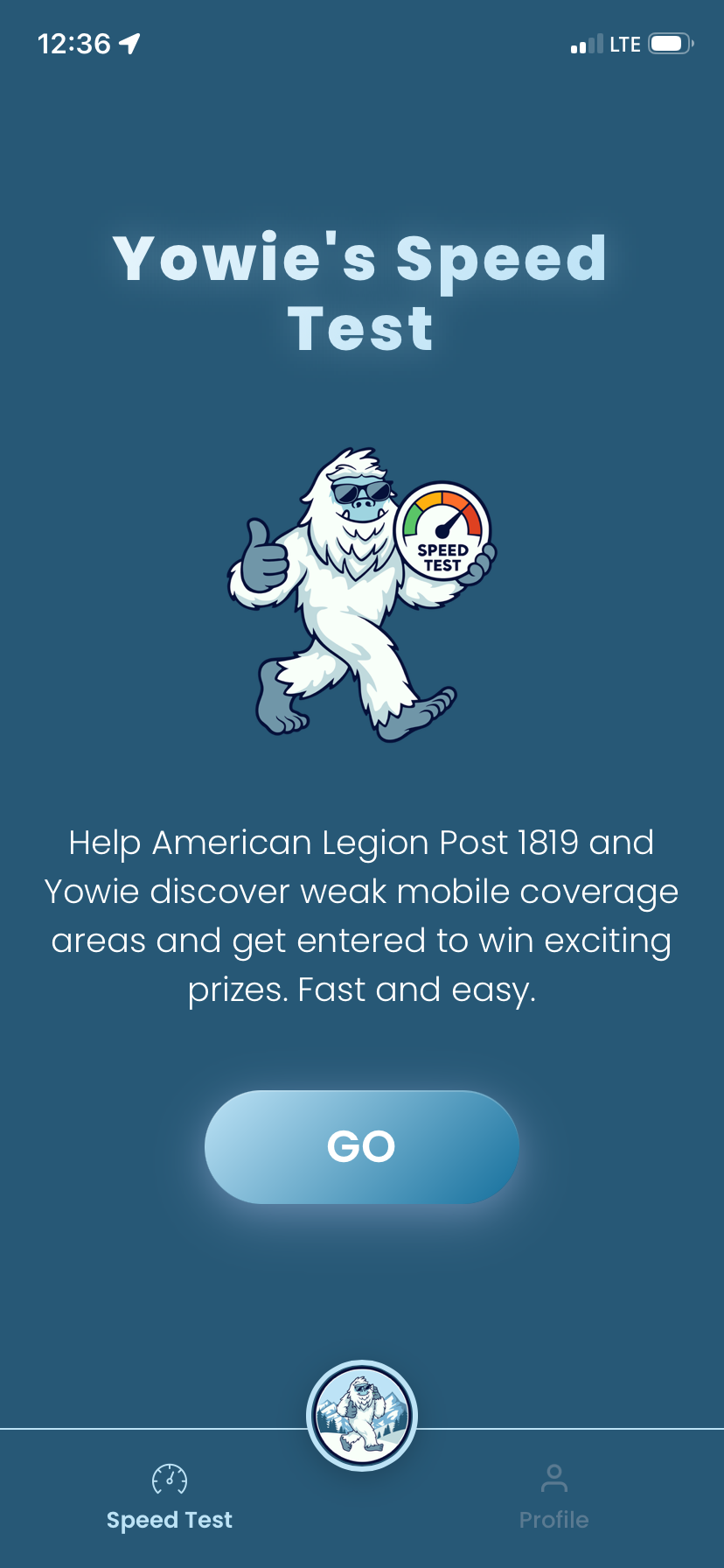
- Tap “Go” and let the test complete (takes under a minute).
- Optional: enter email to receive prizes/entries and future updates.
- If you’re in a low/no-signal area, run the test anyway—results are saved and auto-upload once back online.
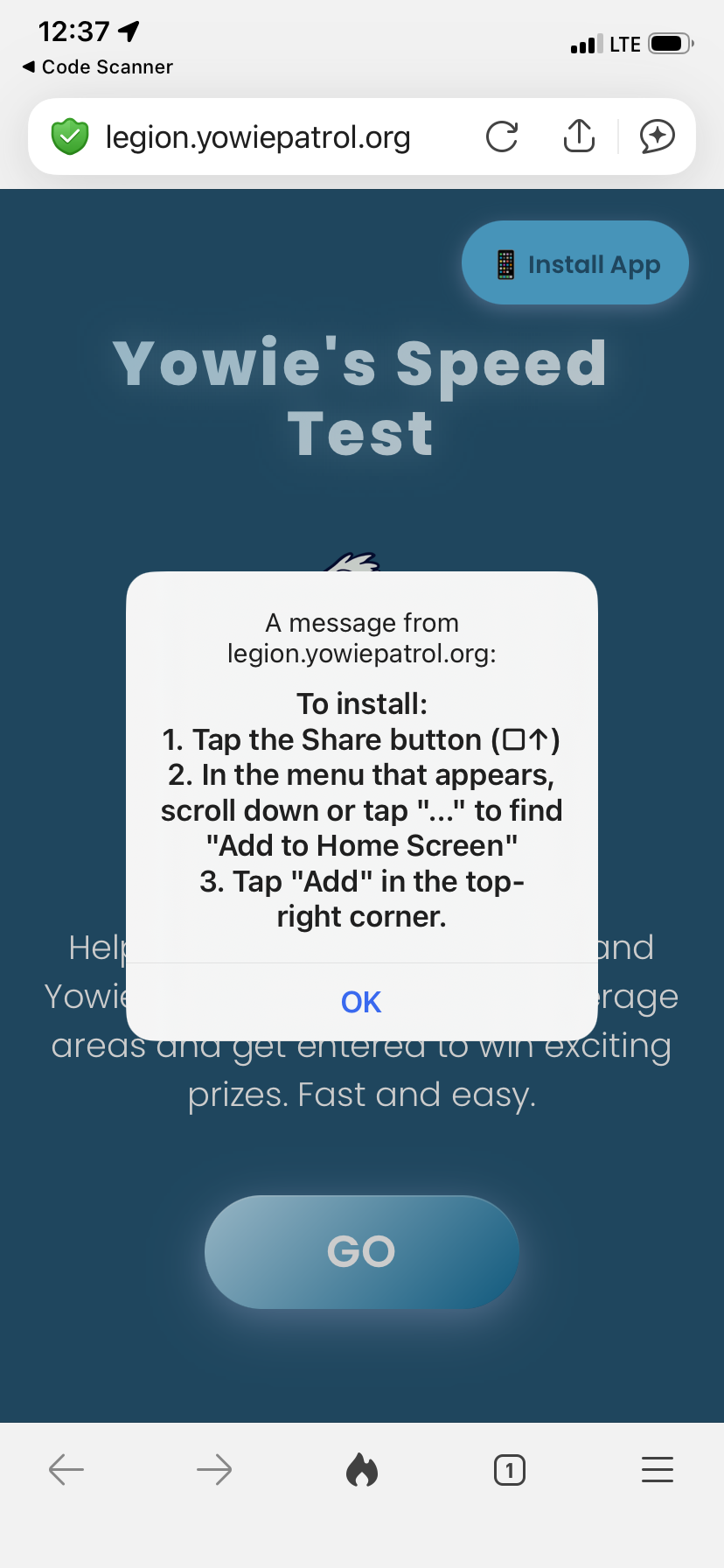
Add to Home Screen for quick reuse:
- iOS: click “Share” on the right side of the menu and then click “Add to Home Screen” from the menu
- Android: click “Add to Home screen”
How our organization gets credit
- Using Post 1819’s unique QR/link—every test run through it is automatically attributed to American Legion Post 1819.
- Partner-level counts roll up in reports/exports for grants, outreach, and impact tracking per validated test as defined in MOUs/grants. The system emphasizes high-impact data (e.g., underserved areas) to improve mapping and avoid low‑value repetition.
Incentives and rewards
- Each completed test can earn participants entries toward drawings (e.g., tickets, gift cards), in addition to earning funds for the Post.
Why this matters
- Every test strengthens our connectivity map, informs funding decisions, and accelerates broadband improvements in our community.
Tips for helping Post 1819 expand its reach
- Post QR code/ Link at events, libraries, town halls.
- Share the QR code/ Link with family and friends
- Encourage testing in dead zones—offline results still count later.
Privacy & data
- No account required; email is optional for rewards.
- Each test records time, location, network type, and speed to power reliable maps and reports.